AI agents & workflows · 2026
Dynamic Agent Orchestration
Coordinating AI agents to collaborate and act through MCP.
As a full-stack engineer, I’ve seen a huge shift in how we write code over the last six months. As AI gets better at coding, our roles are evolving. At the time of writing, I still need to oversee much of its output to keep things simple and avoid unnecessary duplication, but the way I work is changing quickly.
Over the last month, I’ve been diving into agent orchestration. Combine this with the growing adoption of MCP tooling and the continued improvement of AI agents, and the possibilities feel enormous.
What is MCP?
For anyone unfamiliar with MCP (Model Context Protocol), it provides a standard way for AI applications to interact with external tools and data. An MCP server can expose tools, each with a description and a schema that tells the AI what inputs it expects.
The easiest way for me to understand it initially was as an API in a wrapper that AI can understand and interact with. But the real power becomes clear when you consider what those connections enable: AI working on designs in Figma or interacting with the data you give it permission to access in Supabase.
Agent runners
An agent runner brings these pieces together. You give it a prompt and access to specific MCP servers and tools, and it can work out which tools to use, reason through the steps and attempt to complete the task.
That’s exciting because it reduces the amount of bespoke infrastructure and conditional logic we need to build ourselves. But giving an agent access to every available server and tool introduces its own challenges. For me, these come down to three main areas: cost, security and accuracy.
The project
I created this project to explore agent orchestration using MCP, with agents focused on smaller tasks and given access to specific tools. I also wanted to apply it to something useful: helping people build stronger foundations for a project or business.
We can now move from an idea to a working product fairly quickly. But market research, launch strategies and deeper product thinking still matter. These are easy to overlook when you’re focused on building and shipping.
How it works
The process starts with an idea. You describe your project or business, and an agent drafts a brief, asks questions and recommends a team of agents, each with a name, responsibilities and expected outcomes.
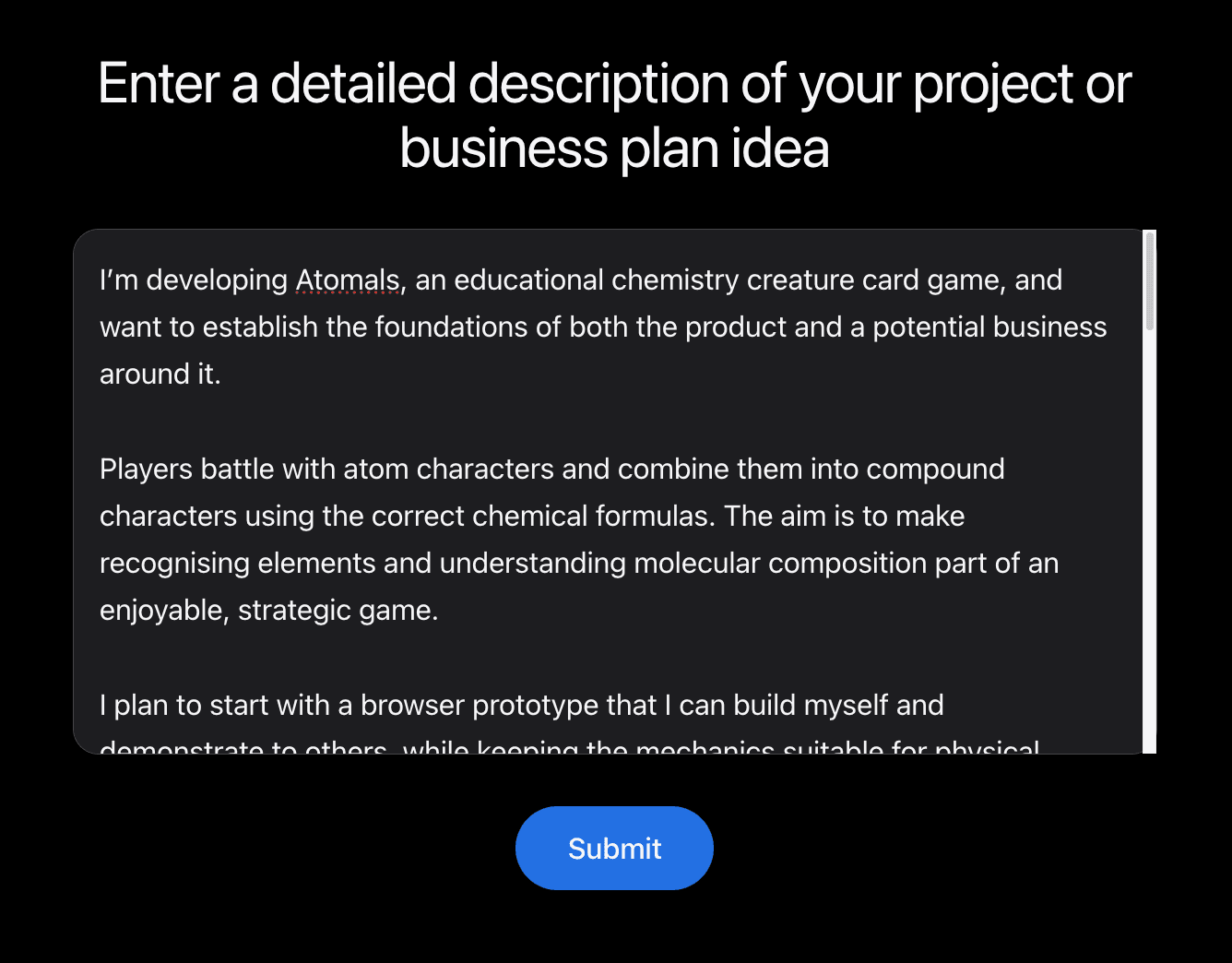
You can edit the brief and add, change or remove agents. You can also answer the questions to provide more context, but this is optional.
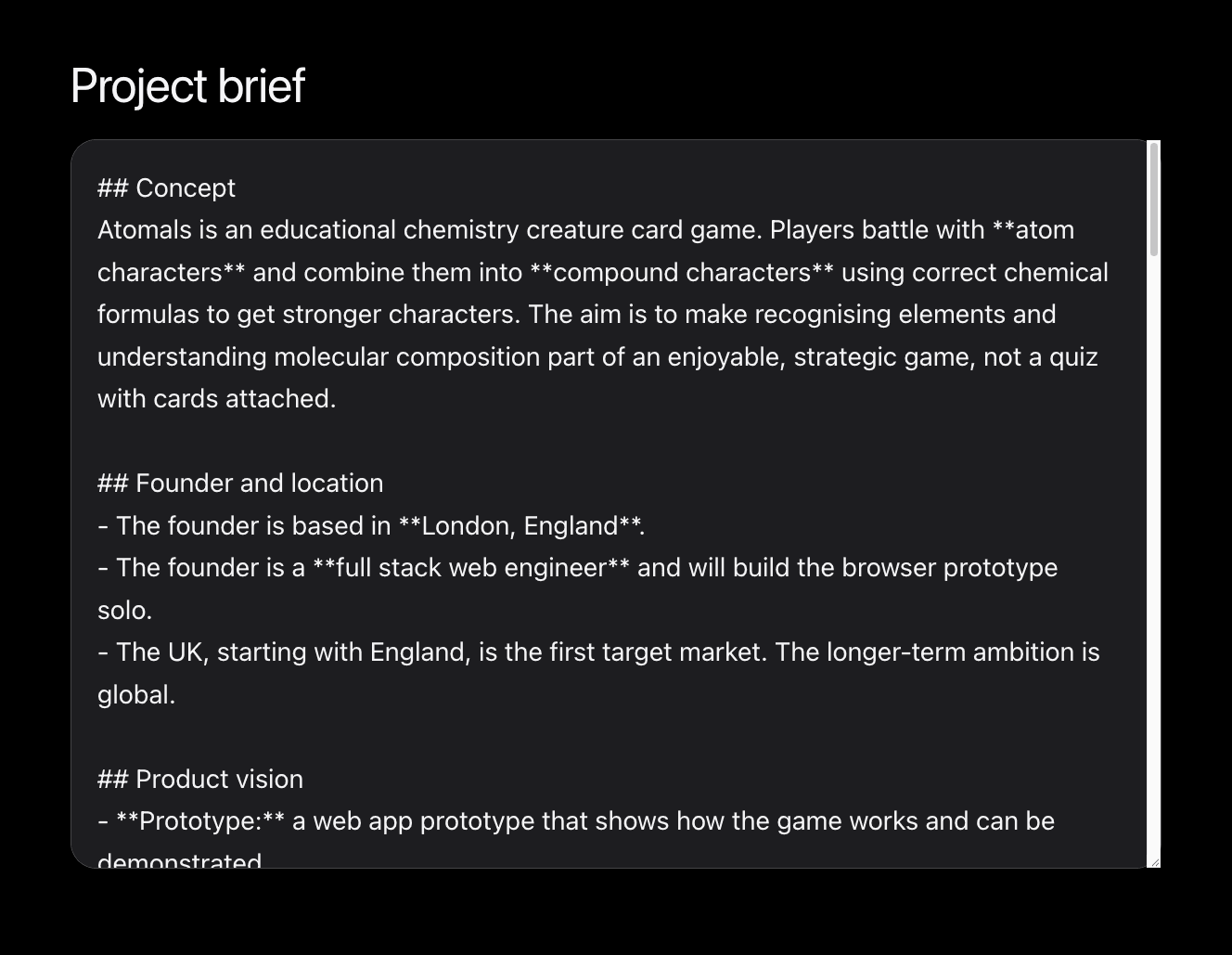
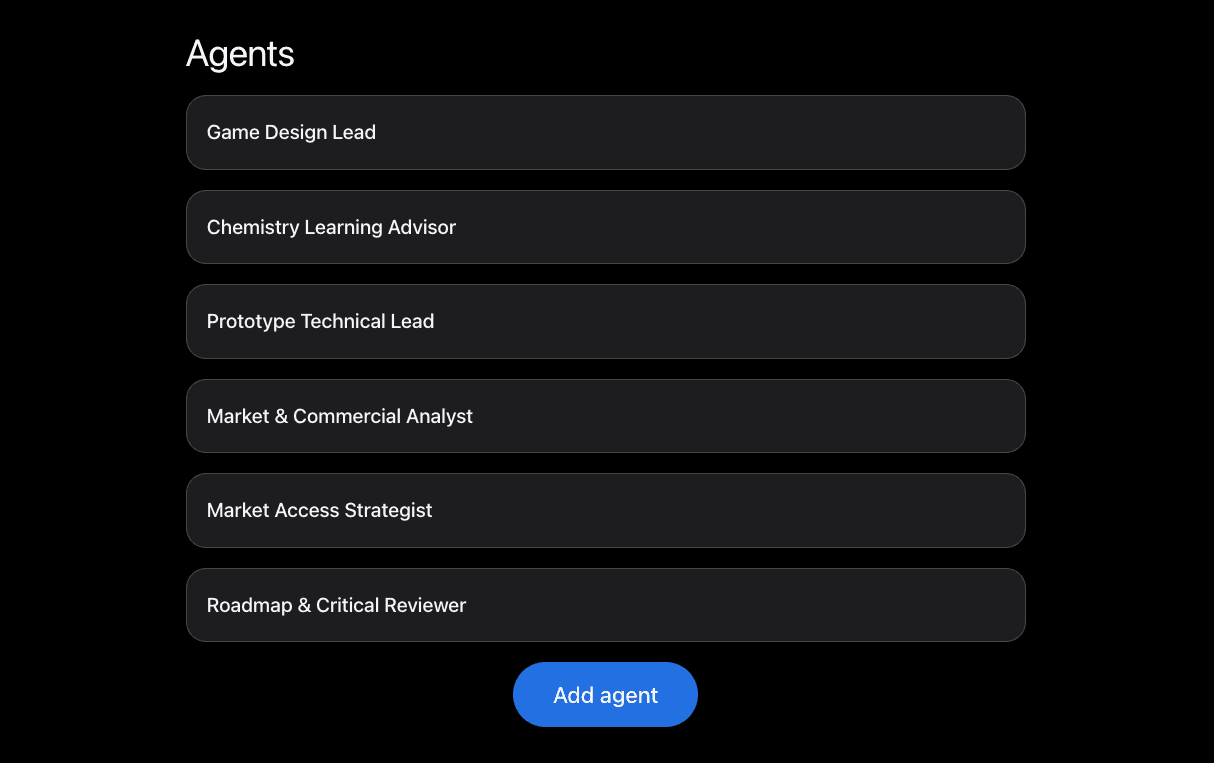
The next agent takes that updated input, produces the final project brief, adds the agents to the database and creates tickets, assigning ownership to individual agents. To test the MCP integration, I’ve been using Monday.com to store and visualise the work.
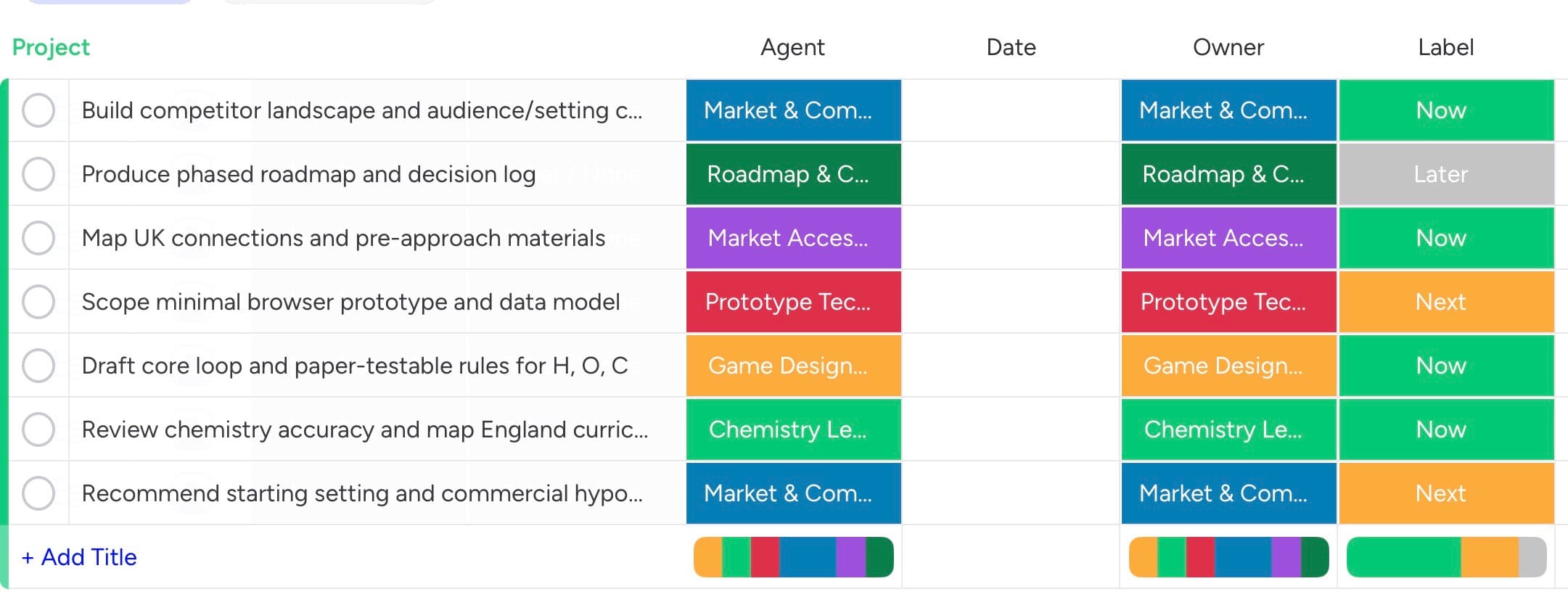
A cron job runs every 15 minutes. It checks for the next available open ticket, identifies the assigned agent and starts a runner with the ticket details and access to the relevant Monday.com MCP tools. These allow it to read and update items, leave comments, and read and write documentation.
The runner also receives a list of the available agents. It’s asked to progress the task and collaborate where another agent’s expertise would help. It can then hand the ticket to another agent or return it to the human user when the work is complete or needs their input.
1 · You
Describe the idea
Your project or business, in your own words.
2 · Agent
Draft the brief
Writes a brief, asks questions and recommends a team of agents.
3 · You
Refine
Edit the brief, add, change or remove agents, and optionally answer the questions.
4 · Agent
Plan the work
Produces the final brief, adds the agents and creates tickets in Monday.com, each owned by an agent.
5 · System
Cron job, every 15 minutes
Picks the next open ticket and its assigned agent.
6 · Agent
Runner
Works the ticket with only the Monday.com MCP tools it needs: items, comments and docs.
Hand off to another agent
When another agent’s expertise would help.
↻ Back to step 6
Return to you
When the work is complete or needs your input.
- You
- Agent
- System
What’s next
I’m now exploring how to take this further: integrating tools such as Figma, analysing data to help us summarise findings and make decisions faster, and progressing work while we’re asleep.
I’m also interested in truly dynamic orchestration. Could an agent recognise that the team is missing a particular skill, request a new “hire” and create that agent on the fly?